You start and end each session
A session only starts when you tap Park here and confirm. After an hour, two hours and four hours the app reminds you it's still running, in case you forgot to end it.
When you park in Amsterdam, open Park4Me and tap Park here. The app looks up the zone you're in and shows its number and hourly rate before you confirm. Tap End parking when you leave and you pay for the time you were parked.
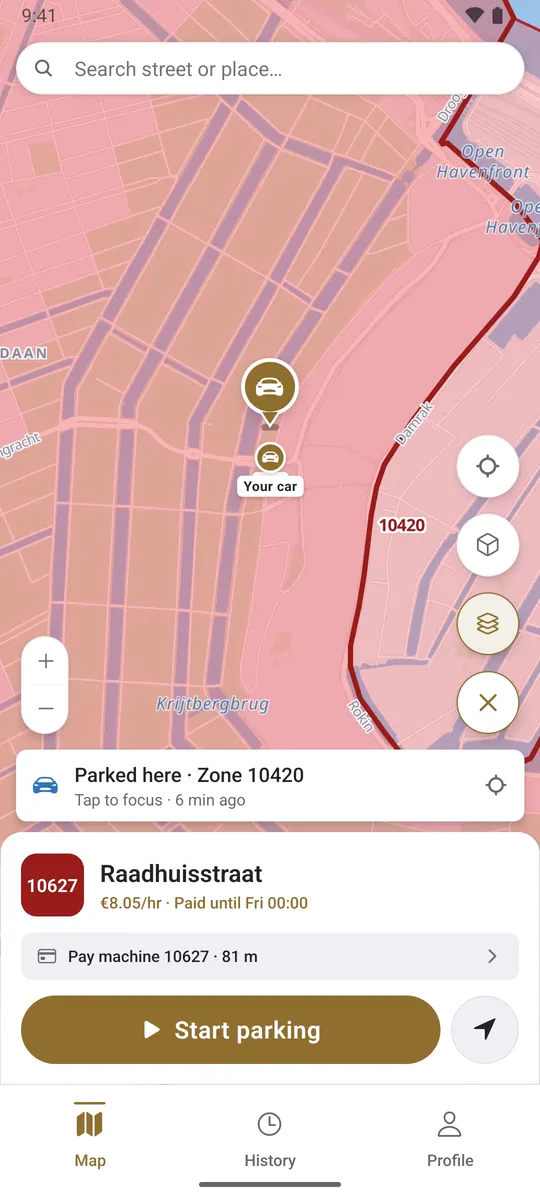
Two things to set up once. After that, every session is one tap to start and one tap to end.
Every session is registered to a plate, so the app needs your car first. If you drive more than one, add them all and pick the right one when you park.
Parking is paid from a Park4Me balance. You top it up with iDEAL, or let us refill it by SEPA Direct Debit when it runs low.
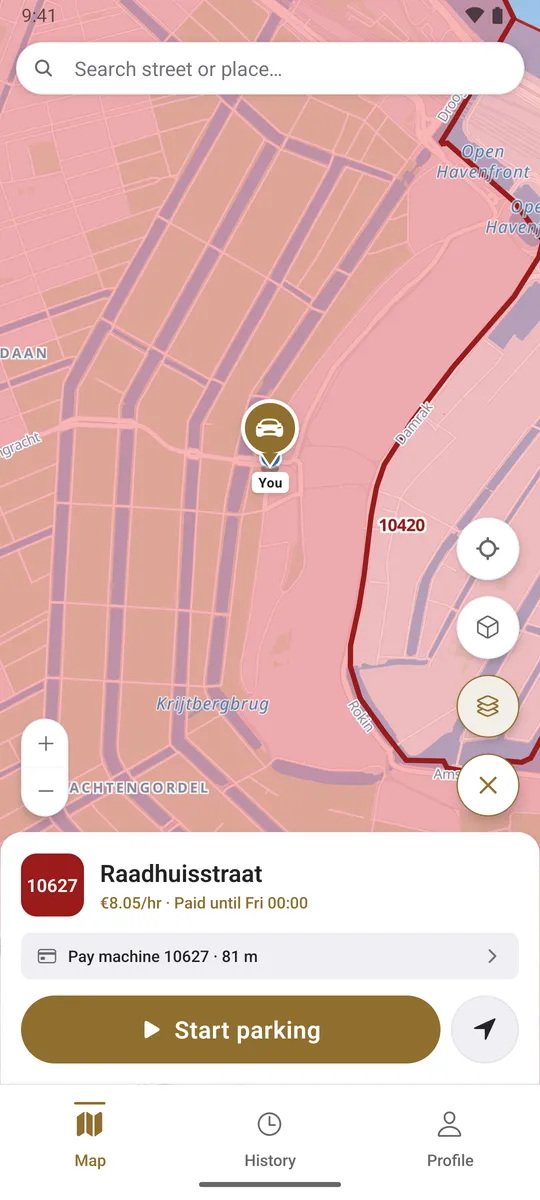
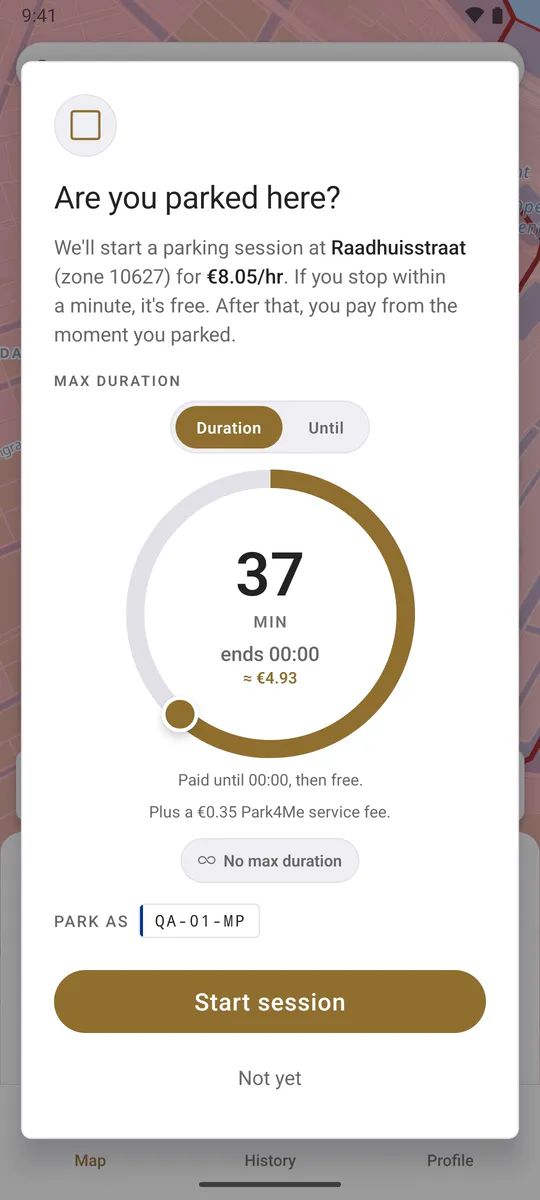
The app shows the zone number you'd see on the parking sign and what that zone costs per hour. If parking is free there right now, it tells you. Confirm and the session starts.
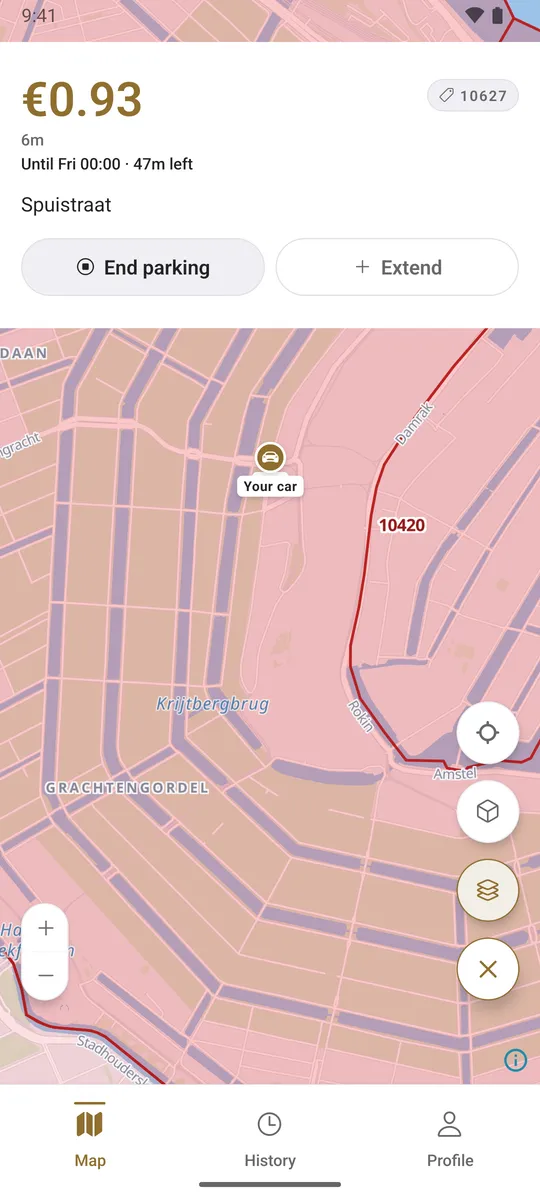
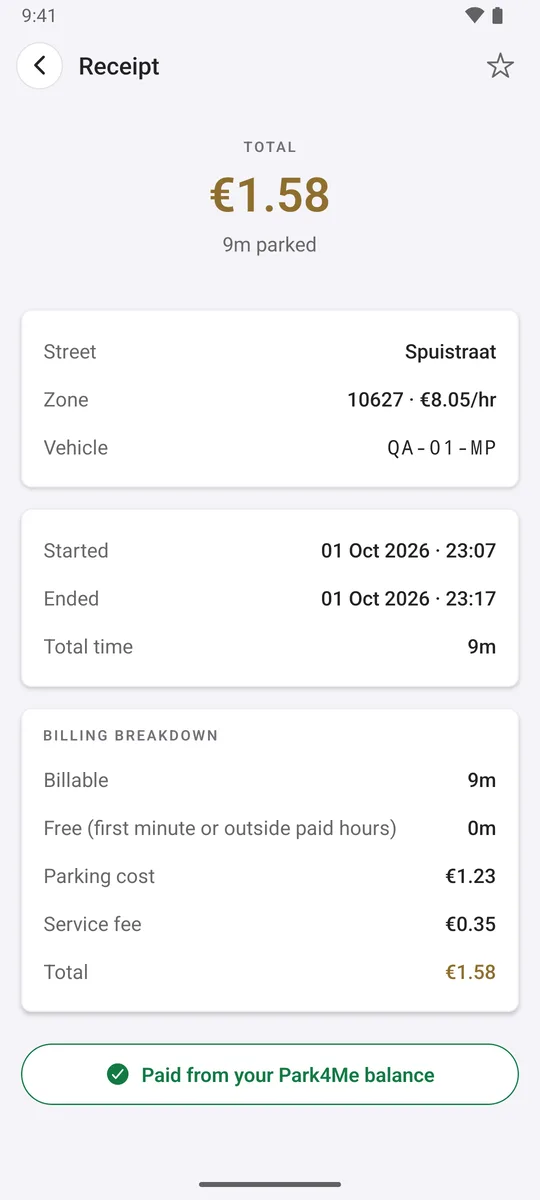
The cost comes off your balance, and the session goes into your history with the street, zone, plate and start and end times.
A session only starts when you tap Park here and confirm. After an hour, two hours and four hours the app reminds you it's still running, in case you forgot to end it.
On streets with an hourly rate you pay for the seconds you were parked, at the rate the municipality sets. Streets with a fixed day price charge that price. If you end a session within a minute, it costs nothing.
History keeps each session with the street, zone number, licence plate, start and end time and the total, which helps when you're checking a fine or filing expenses.
Add the plates you drive and mark one as your main car. The app uses it by default and you can switch before you confirm.
We're building a version for cars with Android Automotive (Google built-in), so you can start and end parking from the dashboard. Top-ups and settings stay on your phone.
In a car with Android Automotive you can let Park4Me start a session when you shift into P in a paid zone and end it when you drive off. It is experimental and off by default. It can miss a start or an end, so we notify you each time it does something.
We're based in Amsterdam, so that's where we test the app first. Zones and rates come from the RDW's national parking register, which we reload every night. Zones in other Dutch municipalities work too, as long as the municipality publishes them there. Parking garages aren't included, because they have their own payment systems.
Add your licence plate and top up your Park4Me balance with iDEAL. When you park, open the app and tap Park here. It looks up the zone you're in and shows the zone number and hourly rate. Confirm to start the session, and tap End parking when you leave.
You pay the rate the municipality sets for the zone. On streets with an hourly rate you're charged per second for the time you were parked. Streets with a fixed day price charge that price. A session you end within a minute costs nothing.
Parking is paid from a prepaid Park4Me balance that you top up with iDEAL. You can also let us refill it by SEPA Direct Debit through Mollie when it runs low, and switch that off in the app at any time. Your balance never goes below zero. If a session costs more than you have, your next top-up pays the difference before you can start a new session.
We're starting in Amsterdam, where we test the app first. Zones and rates come from the RDW's national parking register, which we reload every night, so zones in other Dutch municipalities that publish there work too. Parking garages aren't included, because they have their own payment systems.
No. You stay responsible for parking legally and for checking that a session is running. If you get a fine while the app showed an active session, email us and we'll send you the session record so you can object with the municipality.
Contact supportWhat it needs to park and charge you correctly: your account, your licence plates, your location while you use the app to find the zone, and your parking sessions and payments. We don't sell your data, our servers and database are hosted in the EU, and this website uses no cookies or tracking.
Read the privacy policyPark4Me isn't in the app stores yet. Leave your email and we'll let you know when you can download it.